
How to determine the SMART Notebook version
Before troubleshooting, check the version of SMART Notebook you’re using to make sure you’re looking at the right material.
To identify your SMART Notebook version
-
Open SMART Notebook.
-
From the Notebook menu, click Help
 About SMART Notebook.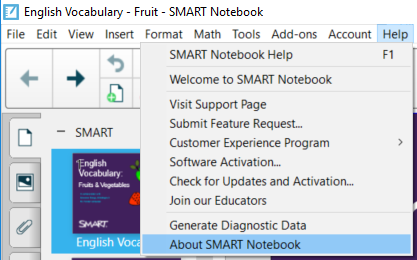
The About SMART Notebook dialog opens.
-
Click the Technical Support tab to find the version number.
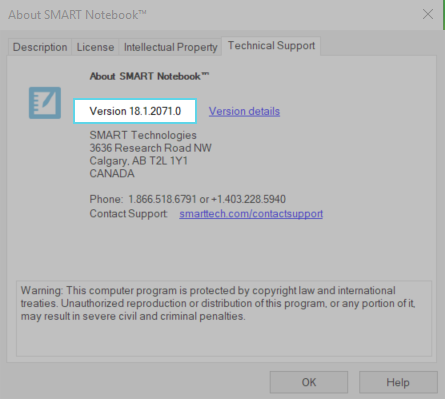
In the example above, the SMART Notebook version is 18.1.